Understanding Desktop Oscilloscopes
In the world of electronics, a reliable measurement tool is paramount for engineers, hobbyists, and educators alike. The desktop oscilloscope has emerged as a fundamental instrument, allowing users to capture and analyse electrical signals accurately. By converting electrical signals into visual waveforms, oscilloscopes facilitate a deeper understanding of circuit behaviour and phenomenon that isn’t visible to the naked eye.
What is a Desktop Oscilloscope?
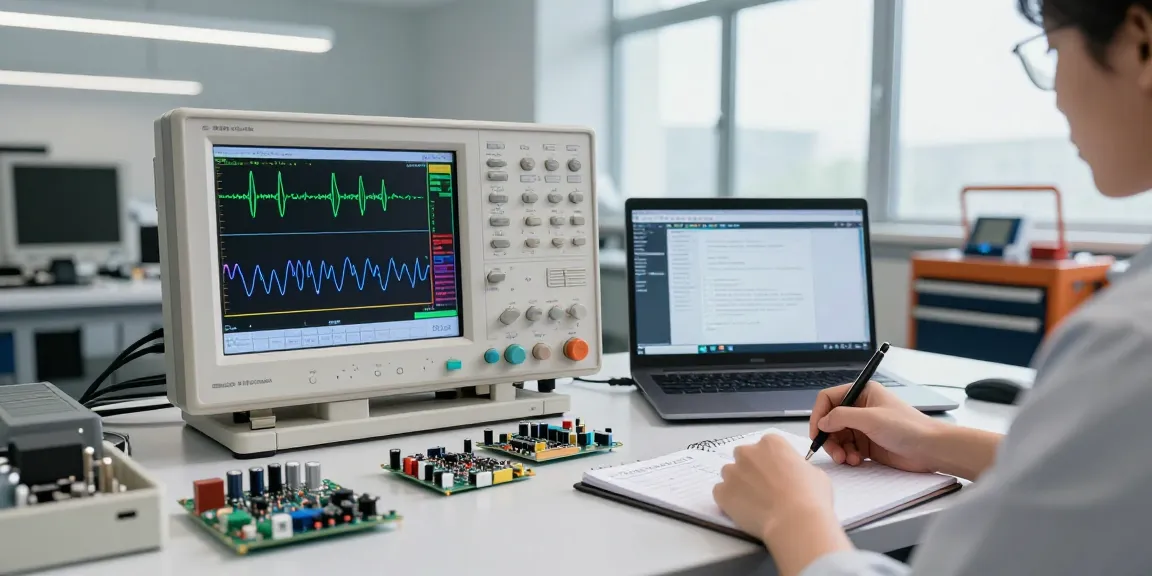
A desktop oscilloscope is a sophisticated electronic device that displays voltage signals as waveforms on a screen, providing insight into the characteristics of electrical signals. These instruments are essential for troubleshooting electronic devices, assisting in the design and testing of circuits. The most advanced models, such as the HANMATEK® DOS1102S, integrate various features that enhance usability and performance, making them suitable for both professional and educational settings.
Key Features and Benefits
- High Bandwidth: The DOS1102S offers a bandwidth of 110 MHz, allowing it to measure fast-changing signals accurately.
- Sample Rate: With a sampling rate of 1 GSa/s, the oscilloscope captures intricate details of waveforms, enabling precise analysis.
- Large Display: Its 7-inch display enhances usability, showing detailed waveforms and measurements clearly.
- Integrated Waveform Generator: This feature allows users to generate arbitrary waveforms for testing circuits alongside real-time measurements.
How Desktop Oscilloscopes Work
Desktop oscilloscopes function through a combination of analog and digital technology. When a voltage signal is applied to the oscilloscope, it is sampled and converted into a digital format using an analog-to-digital converter (ADC). The processed data is then displayed as a waveform on the screen, where users can observe characteristics such as amplitude, frequency, and time-related changes. Features like trigger functions enable users to stabilise repetitive waveforms, making it easier to analyse specific events.
Applications of Desktop Oscilloscopes
Use Cases in Electronics Engineering
Desktop oscilloscopes like the DOS1102S are invaluable in electronics engineering for various applications. They are routinely used to test and debug circuits, verify signal integrity, and conduct research and development. For instance, engineers can use the integrated waveform generator to simulate different signal conditions, allowing them to assess how circuits respond under various scenarios.
Role in Education and Training
In academic settings, oscilloscopes serve as vital teaching tools. They provide students and educators with hands-on experience in understanding signal behaviour and electronic theory. Lab sessions involving oscilloscopes not only enhance theoretical knowledge but also prepare students for real-world applications in their future careers.
Typical Industries Leveraging Oscilloscopes
Various industries benefit from the use of desktop oscilloscopes, including:
- Telecommunications: Used to analyse waveform integrity and performance in communication systems.
- Automotive: Essential for testing electronic control units and signal processing in vehicles.
- Consumer Electronics: Utilised in the design and testing of audio equipment, televisions, and smartphones.
- Medical Devices: Important for ensuring the reliability of electronic medical equipment through rigorous testing.
Choosing the Right Desktop Oscilloscope
Factors to Consider When Buying
When selecting a desktop oscilloscope, potential buyers should consider several factors, including:
- Bandwidth: Determine the maximum frequency of the signals you will measure to ensure the oscilloscope meets your needs.
- Sample Rate: A higher sample rate captures fast-changing signals more accurately.
- Number of Channels: Multi-channel oscilloscopes allow for comparative analysis of multiple signals simultaneously.
- User Interface: An intuitive interface simplifies operation and enhances the user experience.
Top Models and Recommendations for 2026
As technology progresses, several models stand out for their reliability and advanced features. The HANMATEK® DOS1102S remains a strong contender due to its integrated waveform generator and high sample rate, making it ideal for both educational purposes and advanced engineering tasks.
Comparing Specifications and Pricing
Understanding the specifications of various oscilloscopes is crucial when making a purchasing decision. Compare bandwidth, sample rate, and price across different models to find a device that offers the best value for your requirements. Features such as automated measurements and built-in storage capabilities can greatly enhance usability, making products like the DOS1102S a worthwhile investment.
Troubleshooting Common Oscilloscope Issues
Identifying Common Problems
Even the most reliable oscilloscopes can experience issues. Common problems include:
- Display Issues: Problems with visibility or waveform clarity can often be resolved by adjusting the brightness and contrast settings.
- Connection Problems: Ensure that probes are properly connected; loose connections can affect signal quality.
- Calibration Errors: Regular calibration is necessary to maintain accurate measurements over time.
Effective Troubleshooting Techniques
To effectively troubleshoot oscilloscopes, follow these techniques:
- Check Connections: Ensure all connections are secure and probes are functioning correctly.
- Refer to the User Manual: Many oscilloscopes come with manuals that include troubleshooting sections for common issues.
- Update Firmware: Keeping the firmware updated can resolve many operational glitches.
When to Seek Professional Help
If problems persist after extensive troubleshooting, it may be time to consult a professional. This is particularly true when dealing with complex issues that could affect safety or functionality.
Future Trends in Desktop Oscilloscope Technology
Emerging Features and Innovations
The future of desktop oscilloscopes is bright, with advancements in technology leading to new and improved features such as:
- Enhanced Connectivity: Future models will likely include better integration with software for data sharing and analysis.
- AI Integration: Artificial intelligence could assist users in analysing waveforms and detecting anomalies automatically.
- Improved User Interfaces: More intuitive touch-screen interfaces will enhance user interaction and learning.
Predictions for Industry Developments by 2026
By 2026, we can expect oscilloscopes to incorporate even more sophisticated features, such as cloud connectivity for real-time data sharing and analysis across teams. These developments will make remote troubleshooting and collaboration more efficient than ever.
Impact of Technological Advancements on Usability
As technology advances, user experience will continue to improve, allowing engineers and hobbyists to focus on analysis rather than operation-centric tasks. This shift will empower users with better tools, fostering innovation across industries.
What is the average cost of a desktop oscilloscope?
The average cost of a desktop oscilloscope varies significantly based on specifications and features. Basic models can start from a few hundred dollars, while advanced models, like the DOS1102S, may range from $500 to over $1,000, depending on the capabilities.
Can a desktop oscilloscope be used for high-frequency signals?
Yes, many desktop oscilloscopes, particularly those with high bandwidth ratings, are designed to measure high-frequency signals effectively. The DOS1102S, with its 110 MHz bandwidth, is well-suited for such applications.
What features should I look for in a desktop oscilloscope?
Key features to consider when purchasing a desktop oscilloscope include bandwidth, sample rate, number of channels, display size, and additional functionalities like an integrated waveform generator and advanced triggering options.
How do I maintain my desktop oscilloscope?
Regular maintenance of a desktop oscilloscope involves cleaning the screen and probes, ensuring connections are secure, and periodically calibrating the device for precise measurements.
What safety precautions should I take when using an oscilloscope?
Safety precautions when using an oscilloscope include ensuring that the device is rated for the voltages you are measuring, using appropriate probes, and being aware of grounding requirements to prevent electrical shock.